
Download Mullvad Browser – Secure Private Browsing, VPN‑Integrated, Anti‑Fingerprinting
Overview
Mullvad Browser arrives at a time when online privacy is no longer a luxury but a necessity. Built on the solid foundation of the Tor Browser and tightly integrated with Mullvad VPN, this premium browser positions itself as a “privacy‑first” tool that refuses to compromise on security or usability. From the moment you launch Mullvad Browser, you’ll notice that telemetry is nowhere to be found—Mullvad deliberately omits any data‑collection mechanisms that could expose your browsing habits to third parties.
Private browsing mode is enabled by default, ensuring that every tab you open starts with a clean slate. In addition, the browser ships with uBlock Origin pre‑installed, automatically blocking third‑party trackers, ads, and known malicious scripts. A single click on the conveniently placed reset button wipes all session data, cookies, and cache, giving you the confidence to start a fresh session without leaving any digital footprints behind.
While Mullvad Browser does not bundle a VPN directly inside the app, it is engineered to work seamlessly with Mullvad’s own VPN service, providing an extra layer of encryption for all traffic that leaves your device. The result is a browsing experience that feels both familiar and markedly more secure, offering a consistent, indistinguishable fingerprint across the web. Whether you are a journalist, activist, or simply a privacy‑conscious netizen, Mullvad Browser delivers a compelling mix of anonymity, speed, and transparency that sets a new benchmark for privacy‑centric browsers.
Key Features & Built‑In Protections
- Tor‑based anti‑fingerprinting engine that standardizes your browser fingerprint across the internet.
- Native integration with Mullvad VPN for encrypted traffic routing (requires Mullvad VPN subscription).
- Private browsing mode enabled by default; no history, cache, or cookies are stored unless you explicitly choose to.
- uBlock Origin pre‑installed to block ads, trackers, and malicious domains out‑of‑the‑box.
- One‑click session reset button that erases all browsing data instantly.
- Zero telemetry – the browser does not send usage statistics or crash reports back to the developer.
- Support for DNS‑over‑HTTPS (DoH) configuration, allowing users to encrypt DNS queries manually.
- Open‑source codebase audited by the privacy community for transparency and security.
- Cross‑platform builds for Windows, macOS, Linux, and Android (via WebView wrapper).
- Automatic security updates that keep the browser aligned with the latest Tor patches.
Pros
- Industry‑leading anti‑fingerprinting that makes you virtually invisible to tracking scripts.
- Deep integration with Mullvad VPN enhances overall anonymity without extra configuration.
- Zero‑telemetry policy respects user privacy at every level.
- Pre‑installed uBlock Origin eliminates the need for third‑party extensions.
- Simple one‑click reset provides an effortless way to start a fresh session.
Cons
- No built‑in VPN; you must have a Mullvad VPN subscription for full protection.
- DNS‑over‑HTTPS is not enabled by default and requires manual setup.
- Performance can be slightly slower on older hardware due to Tor routing overhead.
- Limited extension ecosystem compared to mainstream browsers like Chrome or Firefox.
Installation, Usage & Compatibility
Installing Mullvad Browser is straightforward and mirrors the process of installing any modern desktop application. For Windows users, download the .exe installer from Mullvad’s official website, run the executable, and follow the on‑screen prompts. macOS users can grab the .dmg file, drag the Mullvad Browser icon into the Applications folder, and launch it from Spotlight or the Dock. Linux enthusiasts will find a .deb or .rpm package, depending on their distribution, or can compile from source for maximum control. Mobile users on Android can obtain the browser via the Mullvad APK (side‑load) or, where available, through the Google Play Store. iOS support is currently limited to a WebView wrapper that respects the same privacy settings, though a native iOS app is on the roadmap.
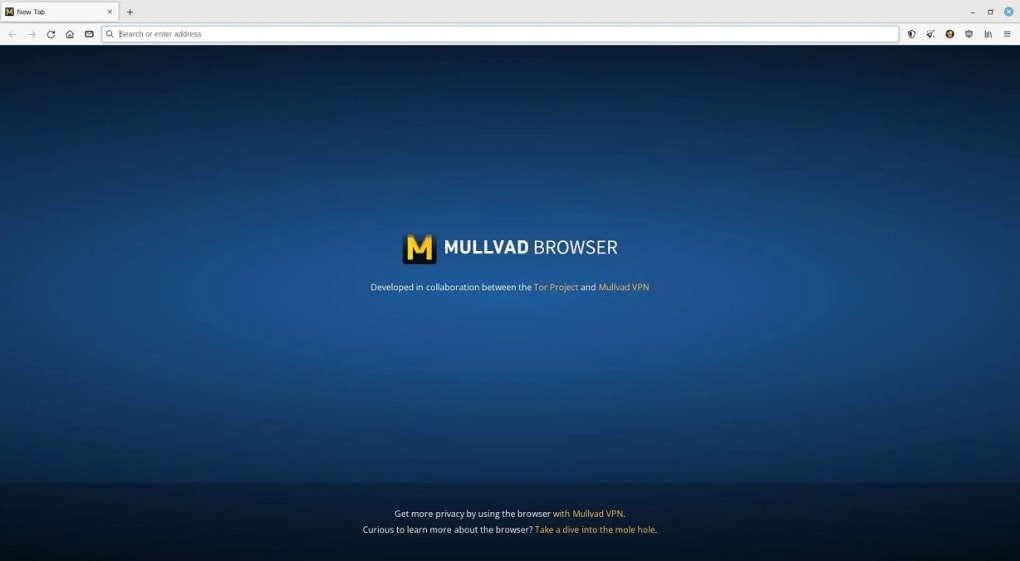
Once installed, the first launch automatically opens a private session with uBlock Origin enabled. The interface resembles a stripped‑down version of Firefox, providing familiar navigation controls, a URL bar, and a customizable toolbar. To connect Mullvad VPN, open the browser’s settings menu, navigate to the “Network” tab, and select “Use Mullvad VPN.” You’ll be prompted to log in with your Mullvad account credentials, after which all traffic will be tunneled through Mullvad’s servers. For users who prefer DNS‑over‑HTTPS, head to Settings → Privacy → DNS and manually input a DoH provider such as Cloudflare (1.1.1.1) or Quad9 (9.9.9.9). The reset button resides on the top‑right corner; clicking it instantly clears cookies, cache, and session storage, returning you to a pristine browsing environment.
Mullvad Browser is compatible with the following operating systems:
- Windows 10 and later (64‑bit)
- macOS 11 (Big Sur) and later
- Ubuntu 20.04 LTS, Debian 11, Fedora 34 and other major Linux distributions
- Android 8.0 (Oreo) and newer (via APK)
System requirements are modest: a minimum of 2 GB RAM, 200 MB of free disk space, and a modern processor (Intel i3/AMD Ryzen 3 or newer). While the browser runs comfortably on most current devices, older hardware may experience a slight performance dip due to the extra encryption layers and Tor routing. Updating Mullvad Browser is handled automatically; the app checks for new releases at startup and prompts you to install the latest version, ensuring you always benefit from the newest security patches and feature enhancements.
Frequently Asked Questions (FAQ)
Does Mullvad Browser include a built‑in VPN?
No, the browser does not ship with its own VPN service. Instead, it is designed to work seamlessly with Mullvad VPN, which you can activate from the browser’s network settings.
Is Mullvad Browser completely free?
Yes, the browser itself is free to download and use. However, to take full advantage of the integrated VPN protection, a paid Mullvad VPN subscription is required.
Can I install extensions like Grammarly or LastPass?
Mullvad Browser supports a limited set of extensions that are compatible with the Tor‑based engine. While popular extensions such as uBlock Origin come pre‑installed, adding third‑party extensions may reduce anonymity and is generally discouraged.
How does the one‑click reset work?
Pressing the reset button instantly clears all cookies, cache, local storage, and session data from the current browsing session, effectively giving you a fresh start without closing the browser.
Is Mullvad Browser open source?
Yes, the codebase is publicly available on GitHub and undergoes regular audits by the privacy community, reinforcing transparency and trust.
Conclusion & Call to Action
In a digital landscape riddled with trackers, data brokers, and pervasive surveillance, Mullvad Browser stands out as a purpose‑built shield that prioritizes privacy above all else. By marrying the anti‑fingerprinting prowess of the Tor Browser with Mullvad’s industry‑leading VPN service, it offers a browsing experience that feels both familiar and remarkably secure. The absence of telemetry, the default private mode, and the integrated uBlock Origin ensure that you leave minimal traces behind, while the one‑click reset gives you instant control over your session data.
Although the lack of a built‑in VPN and the need for manual DoH configuration are valid considerations, the trade‑off is a leaner, more auditable codebase that stays true to its privacy‑first philosophy. If you value online anonymity, want to keep your browsing history private, and prefer a transparent business model that isn’t driven by advertising revenue, Mullvad Browser is a compelling choice. Download it today, pair it with a Mullvad VPN subscription, and reclaim control over your digital footprint.
Ready to browse without being watched? Click the link below to download Mullvad Browser for your platform and start browsing securely within minutes.







